A day planner that records what you actually did.
Most planners only hold what you meant to do. HV Reset times each task as you do it, shows where the day really went, and makes it easy to start again after a bad day.
- Our role
- Product idea, UX, interface design, web app, Android app
- Platform
- Web, Android (closed testing)
- Status
- Web app live · version 0.10
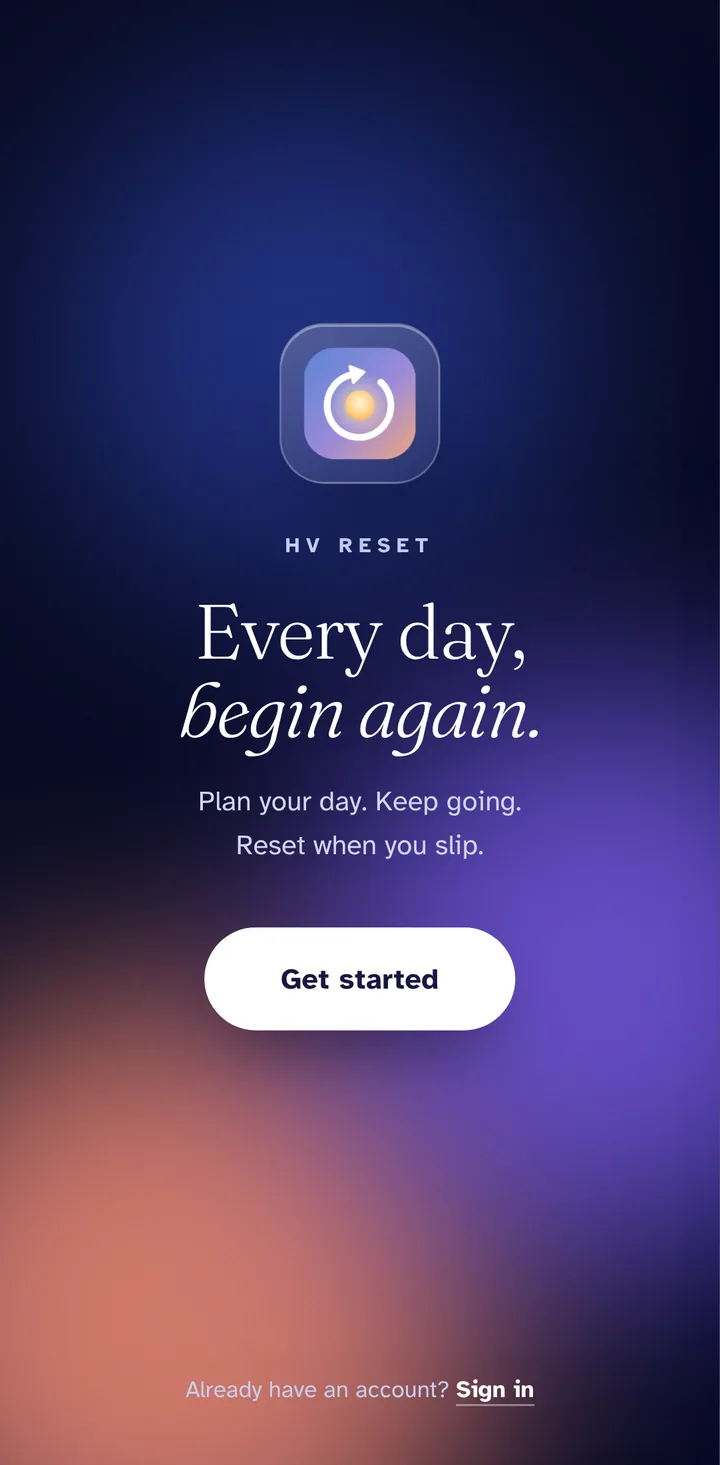
One late start, and the whole plan is gone.
Missed your plan? Wasted a day? Lost your routine?
The first line HV Reset shows a new visitor
A to-do list cannot tell the difference between a task you planned and a task you did. People end the day unsure where the time went, and one late start quietly ruins the rest of the plan.
We wanted three things: see only the task in front of you, record real time, not planned time, and make restarting take one tap.
Three kinds of day, built in from the start.
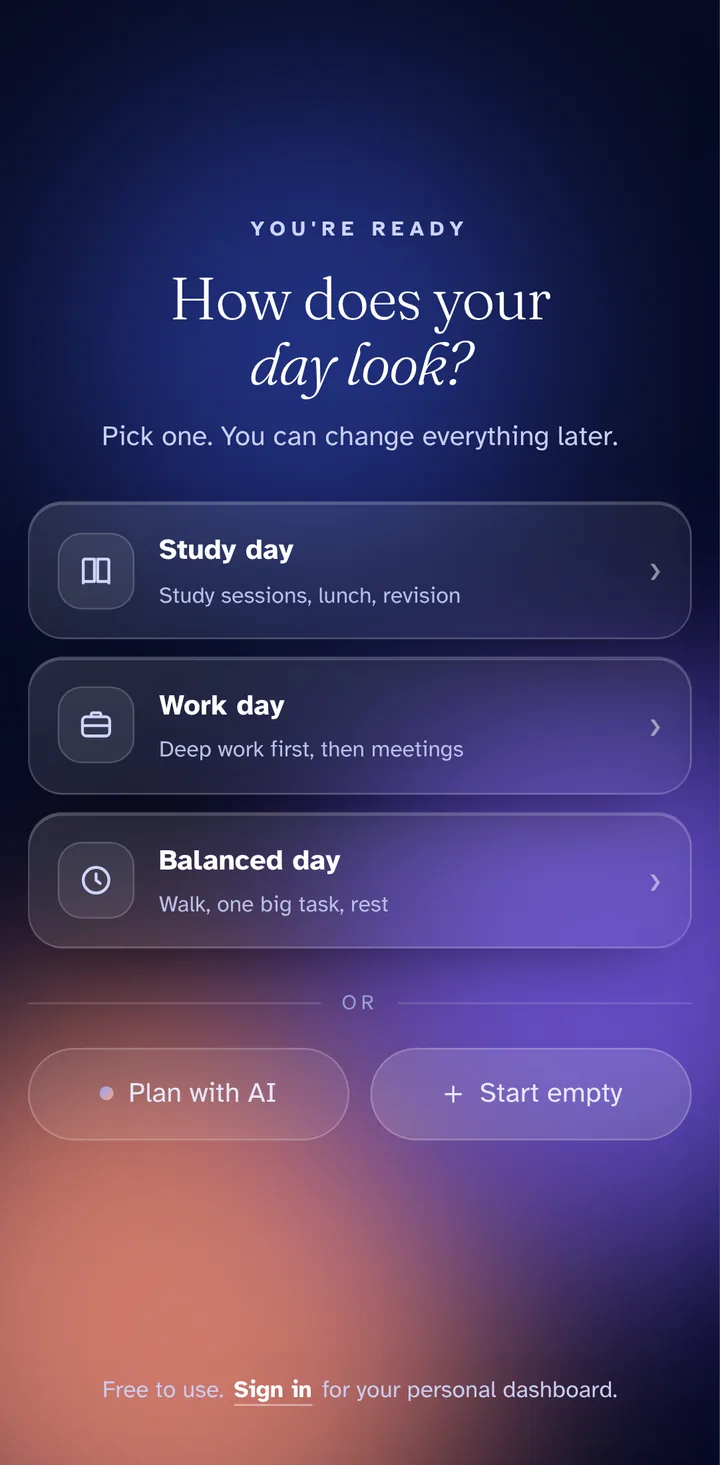
In plain wordsStudents, working people and anyone rebuilding a routine. A new user picks the day closest to theirs and changes it, instead of starting from a blank page.
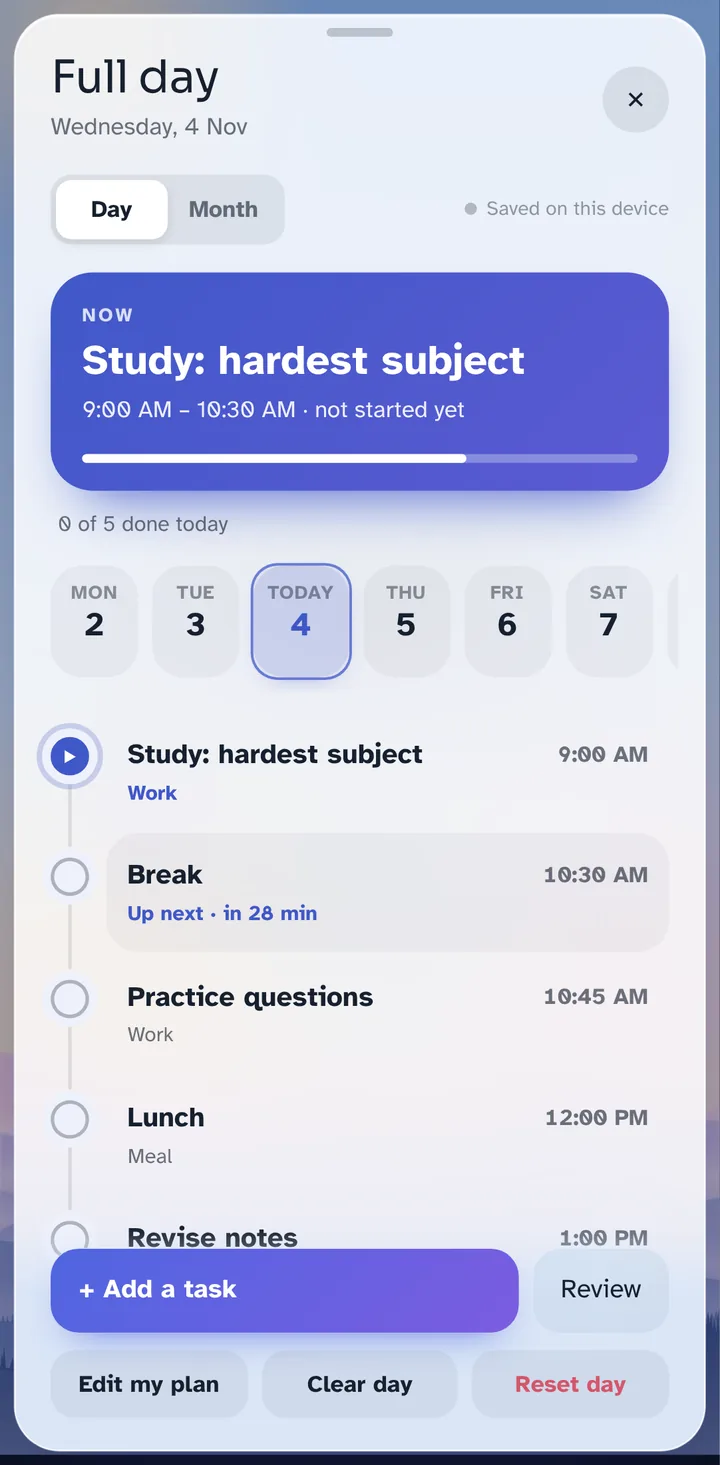
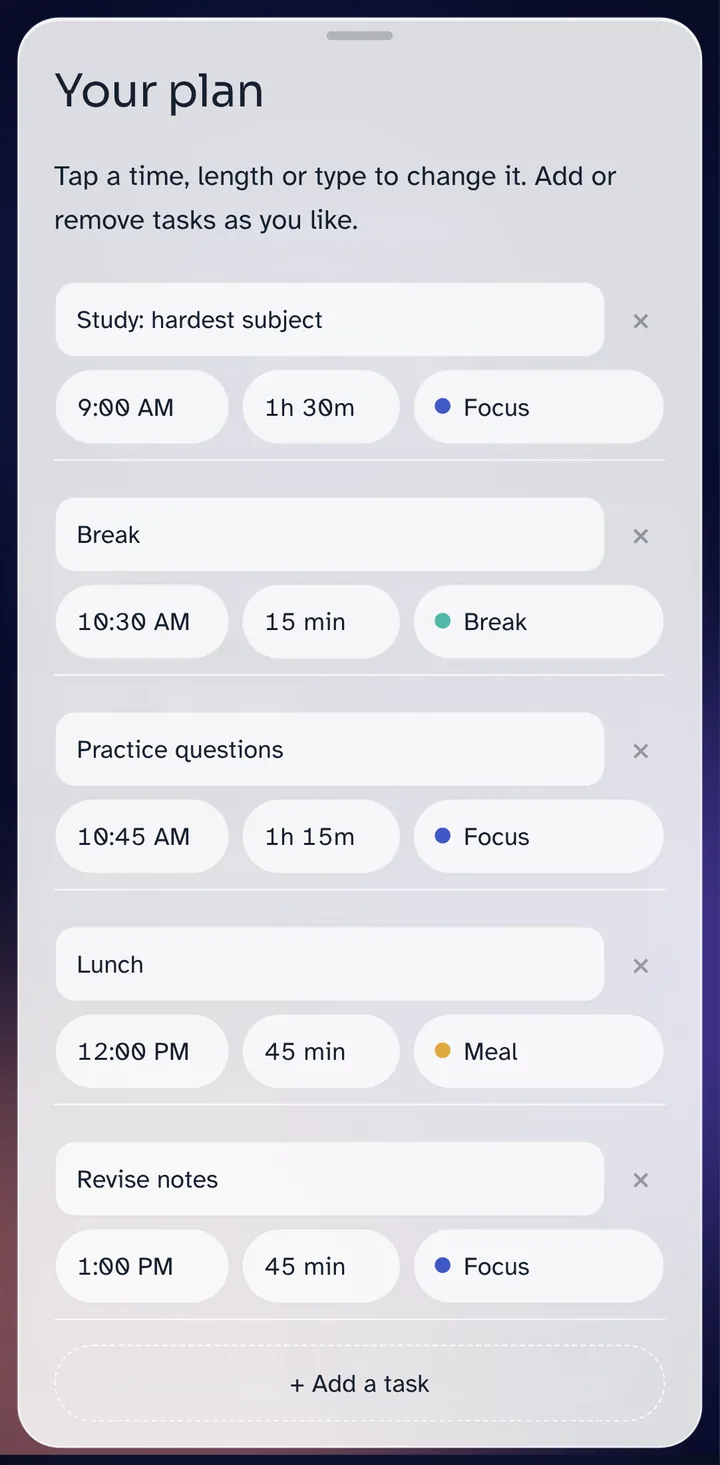
Study day
- 09:00Study: hardest subject90 min
- 10:30Break15 min
- 10:45Practice questions75 min
- 12:00Lunch45 min
- 13:00Revise notes45 min
4 h 30 min planned
Work day
- 09:30Deep work: most important task120 min
- 11:30Break15 min
- 11:45Emails and messages45 min
- 12:30Lunch45 min
- 13:15Meetings and calls90 min
5 h 15 min planned
Balanced day
- 07:00Morning walk30 min
- 08:00Breakfast30 min
- 09:00Most important task90 min
- 10:30Break15 min
- 10:45Chores and errands60 min
3 h 45 min planned
The three ready plans exactly as they ship in the app. HV AI also builds a plan from one sentence, in English, Hindi or Hinglish.
The whole idea, in the four screens a new user sees.
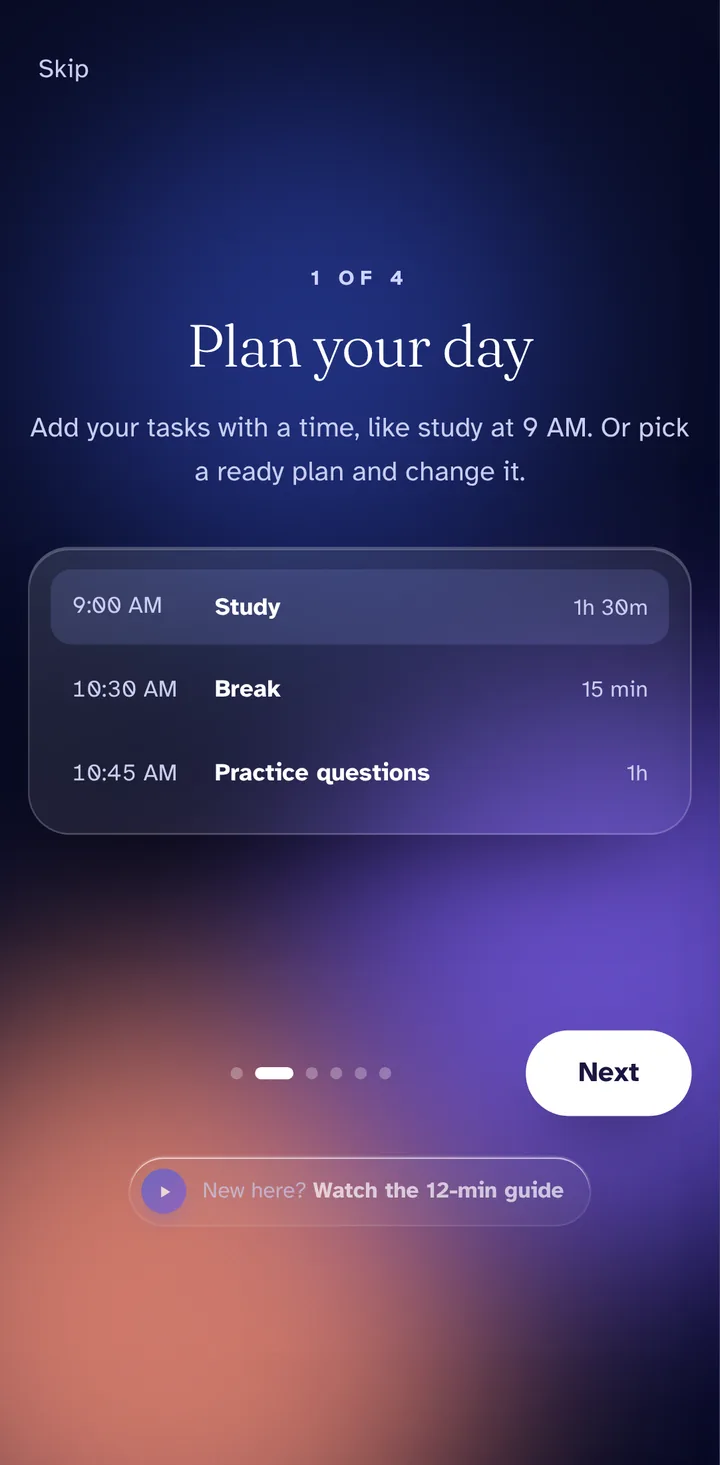
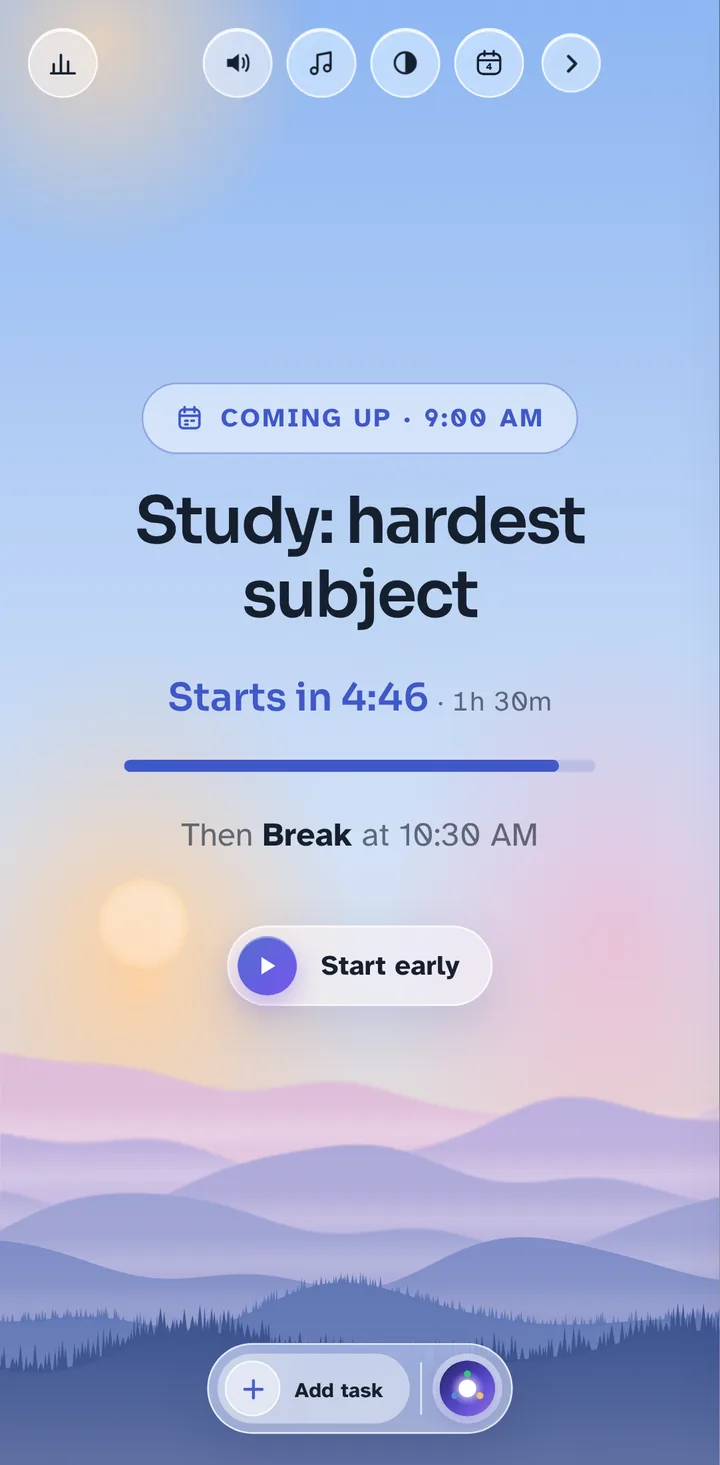
1 of 4A plan is a list of tasks with times. Start from a ready plan, not a blank page.
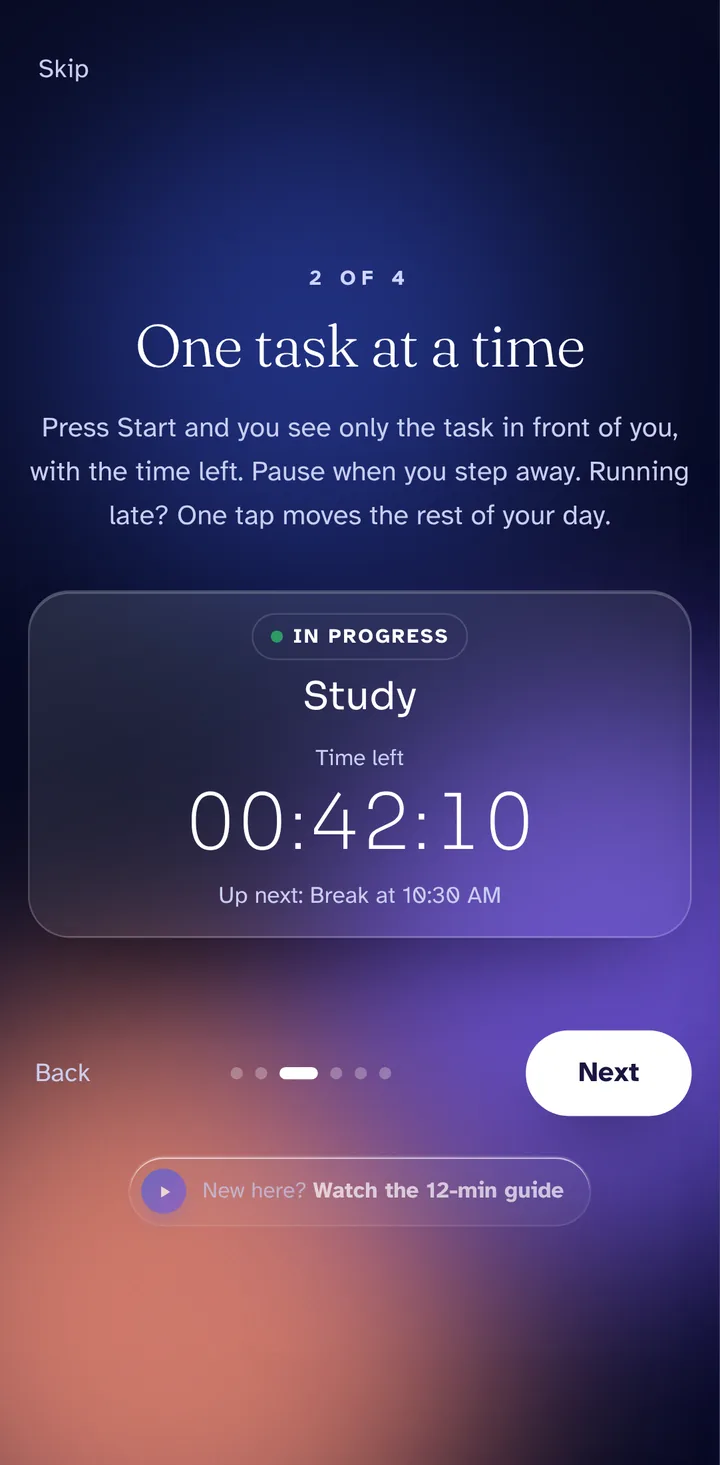
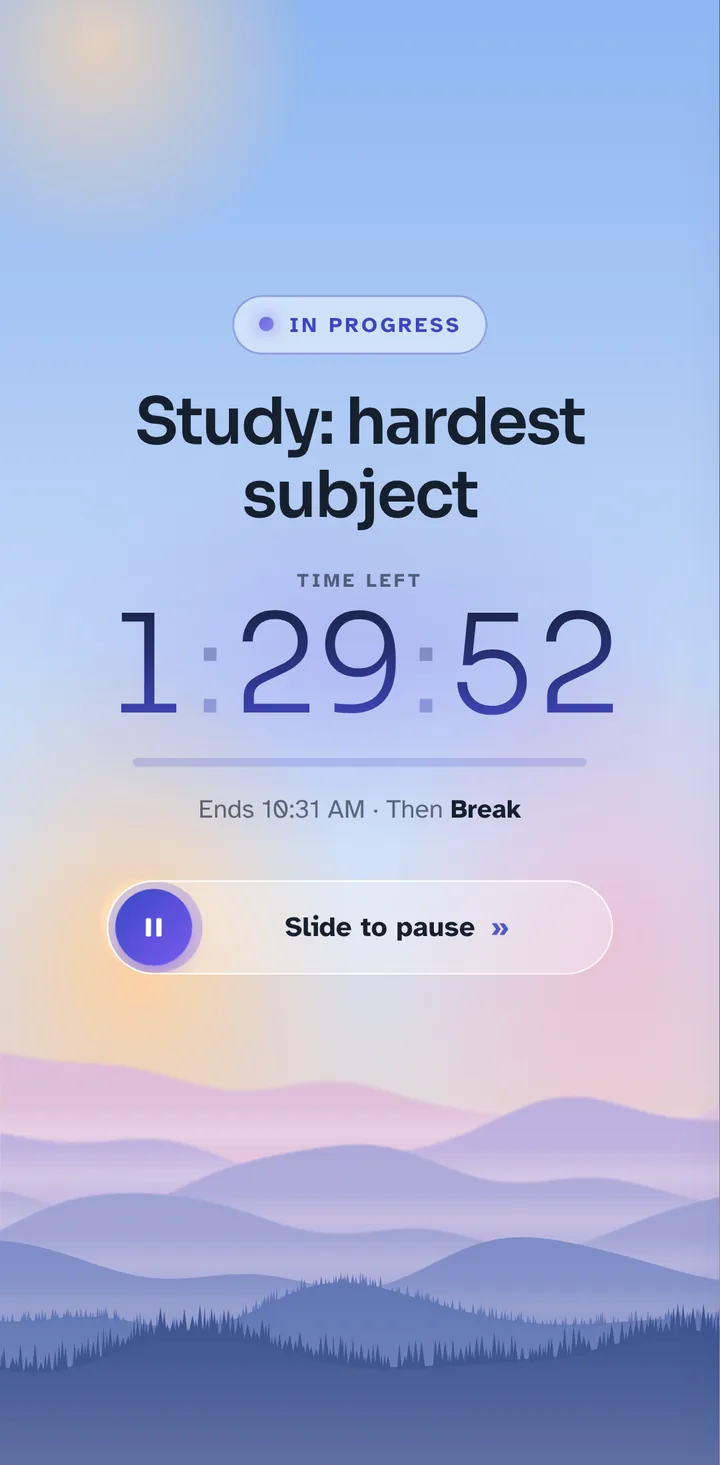
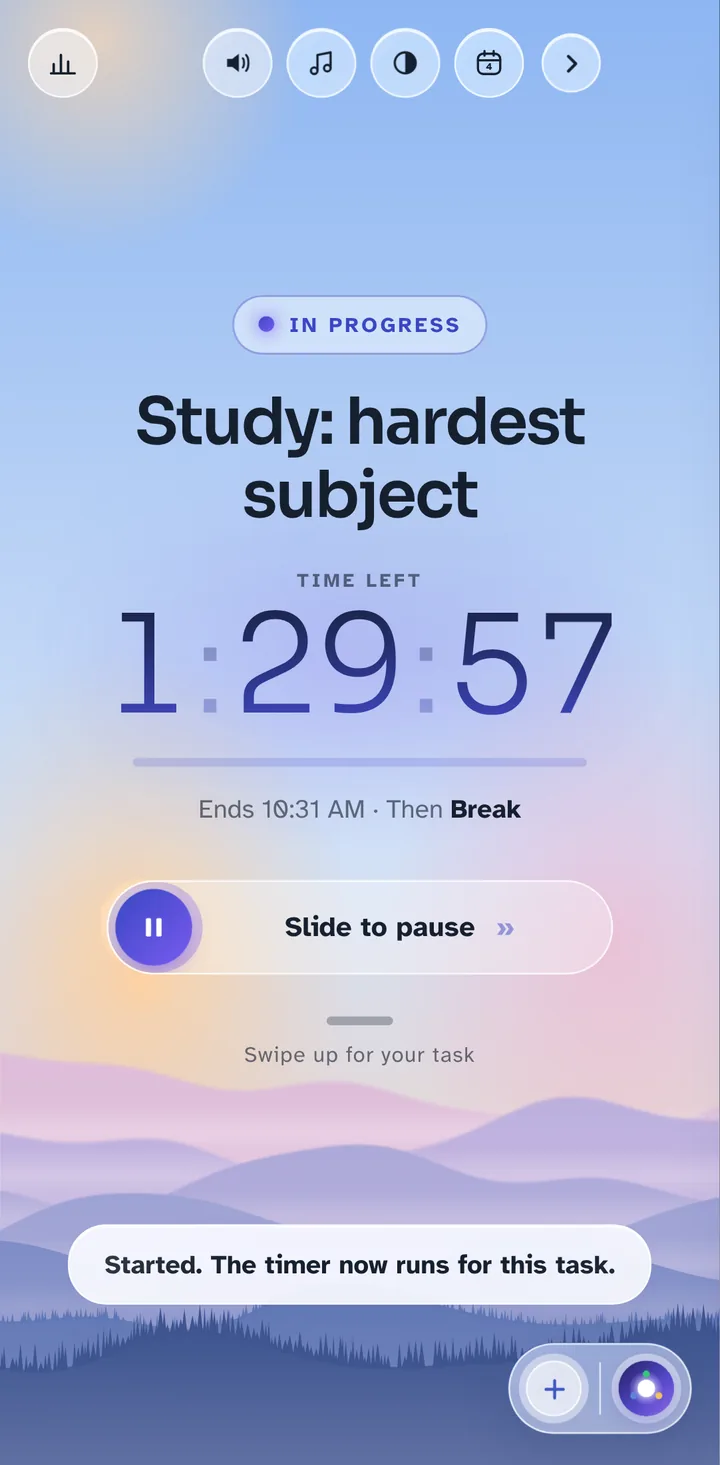
2 of 4While you work, you see one task and the time left. Nothing else competes for attention.
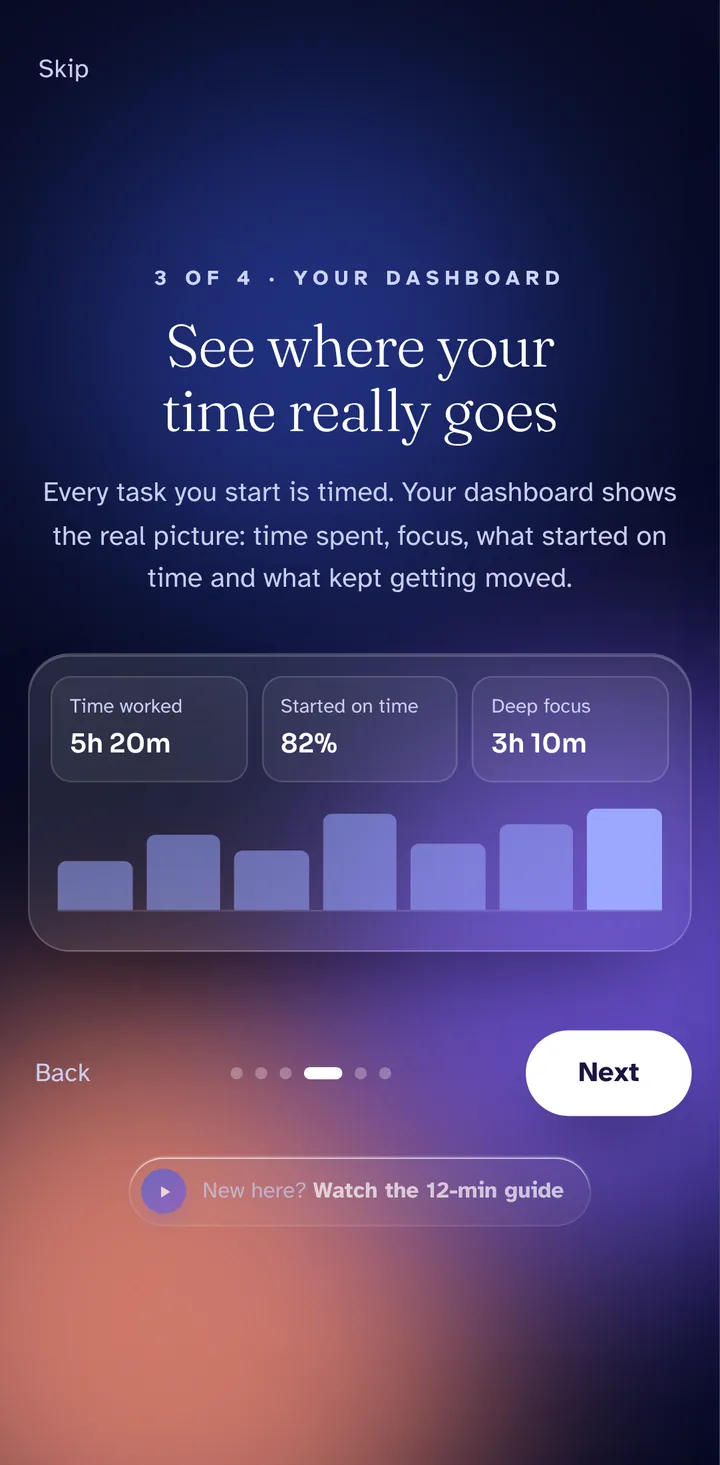
3 of 4Every task you start is timed, so the dashboard shows real time, not planned time.
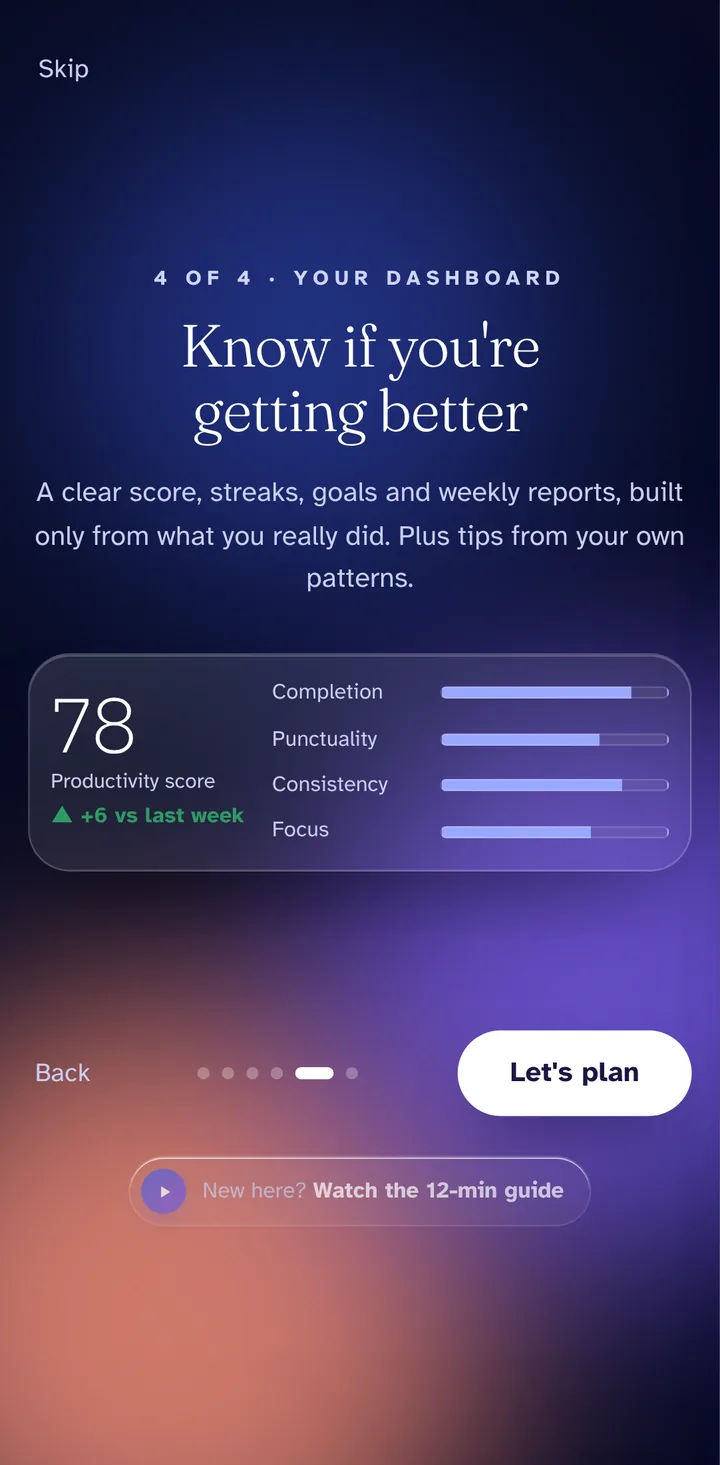
4 of 4A score built only from what you really did, with patterns you can act on.
Rules we gave ourselves
- Planned time is never counted as work.Only timed work counts.
- Missing data says “not tracked”.It never shows as zero.
- Comparisons wait for enough data.The score appears after about three finished tasks and two planned days.
- Running late moves the day, not the guilt.One question shifts the rest of today.
Plan a day in four steps.
In plain wordsTap through the steps to see the real app.
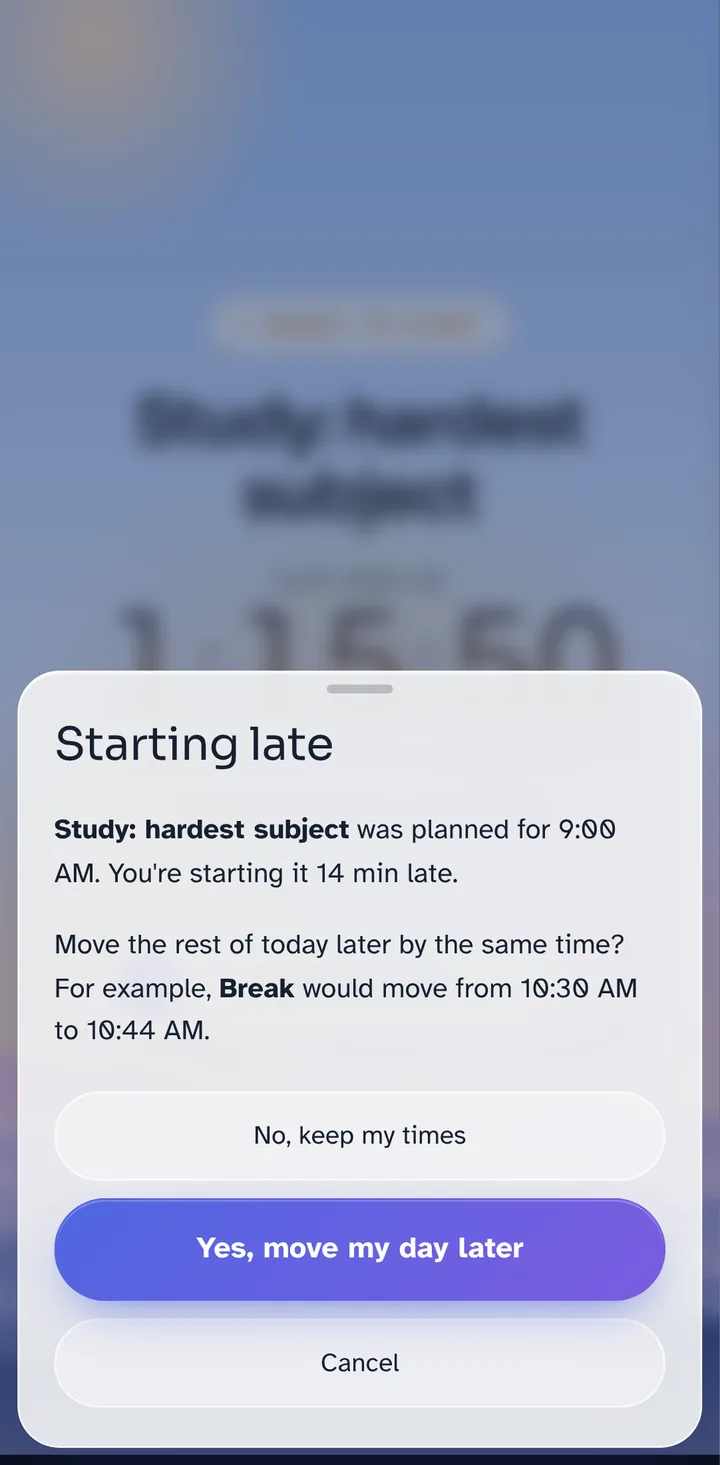
One question instead of a broken plan.
Start a task 5 minutes or more late and HV Reset asks once whether to move the rest of today by the same time. Yes shifts every later task. No keeps the times and the next task says “as planned”.
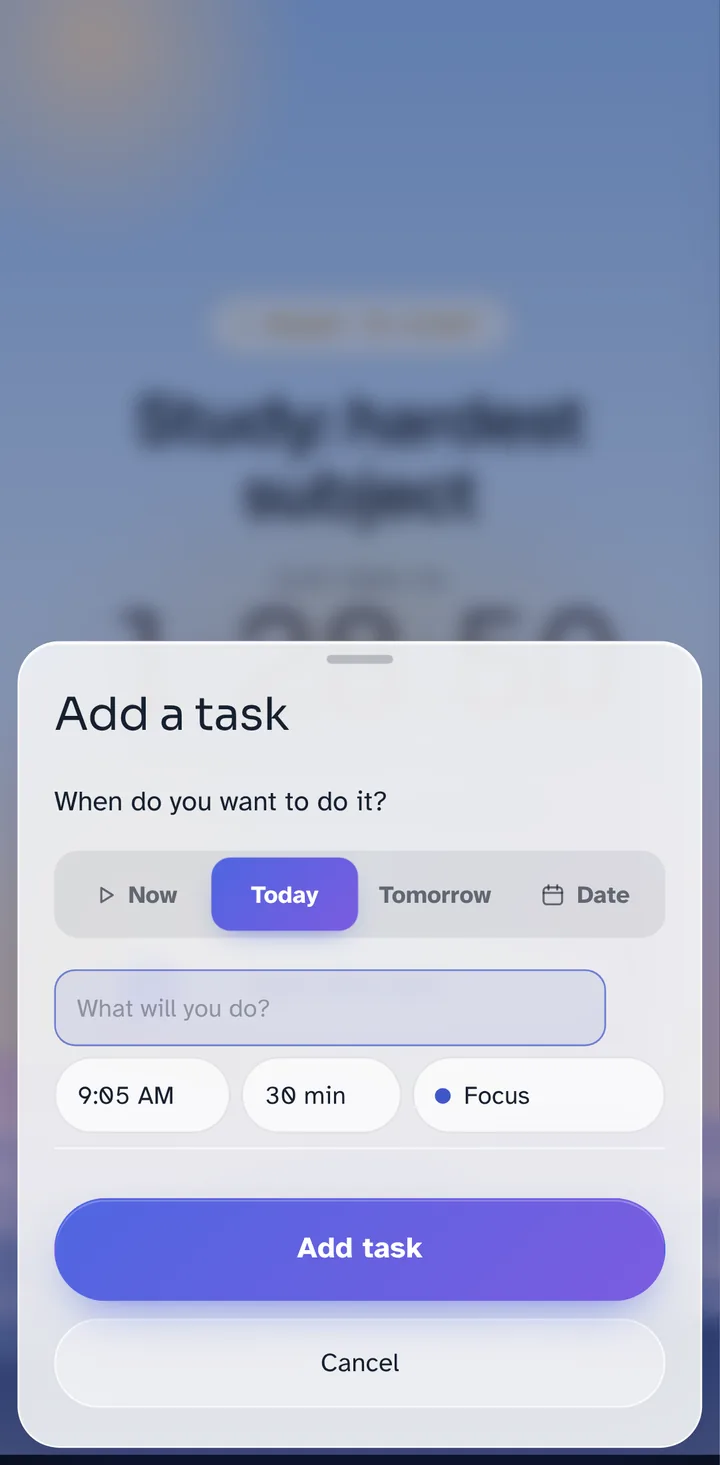
Now, today, tomorrow or a date.
A small sheet with the time and length already filled in, so adding a task takes seconds.
One app for the browser and Android, saved to your own account.
In plain wordsHV Reset opens in any browser and also runs as an Android app. Anyone can try it without an account. Signing in with Google saves the plan, so phone and laptop stay in step.
- HTML5App interface
- JavaScriptApp logic, no framework
- FirebaseGoogle sign-in and saved plans
- Gemini APIHV AI planning
- CapacitorAndroid app shell
- AndroidClosed testing
- GitHub ActionsAndroid builds
- GitHub PagesWeb hosting
Technical detailsData, security and the Android build+
- Data model. Each start, pause, resume and finish is stored as a timer session for that day. Focus ratings, interruptions, moves and skips are kept separately, and each day keeps a copy of its own plan, so editing the plan later never rewrites history.
- Security. Firestore rules let a signed-in user read and write only their own
users/{uid}/space. Guests' changes stay in that browser tab until they sign in. - Sync. The browser keeps a working copy per account. Phone and laptop stay in step within about 15 seconds. Signing out removes the copy from that browser.
- Shared account. HV Reset and HV Hunt live on the same site, so one Google sign-in works for both.
- Android. A Capacitor shell loads the same web code and adds a native bridge for exact-time reminders and native Google sign-in. GitHub Actions builds a debug APK on every push, and a signed app bundle for Play on request.
Web first, then Android.
In plain wordsHV Reset launched on the web as part of HV Verse, opened new features to beta users first, and is now in closed testing on Google Play.
- 1 Oct 2026DoneLive on the web
Launched as one of three free apps on thehvverse.com.
- Oct 2026DoneBeta channel
A Beta switch inside the app. New features reach beta users first. 18 of the 30 listed features are still beta-only.
- 20 Oct 2026DoneBeta sign-up form
A public form for people to join the beta, with the source of each sign-up recorded.
- 1 Nov 2026DoneGoogle Play closed test
12 testers opted in, which starts the 14-day closed test Google requires.
- Mid Nov 2026PlannedApply for production access
After the 14-day test, apply to publish on Google Play.
What we measure, before we publish any numbers.
In plain wordsHV Reset is a few weeks old. We are not showing visitor numbers yet. This is what we track, and which question each number answers.
- 01Visit
People reach the HV Reset page.
Page views by source - 02Try
They make a plan as a guest.
Plans started - 03Save
They sign in to keep the plan.
Sign-ins - 04Use
They time real tasks.
Tasks started and finished - 05Return
They come back on another day.
Days with a plan, per person
Tracked with our own analytics script and Google Analytics 4. Results will be published once there are enough to be meaningful.
- Google AnalyticsPage views and sources
- FirebaseOur own event tracker
Recorded work, from our source history.
Source: commit history of the HV Reset web and Android code. Work before 5 October 2026 is not in this record. Hours were not tracked, so none are shown.
What building it taught us.
Honest numbers need rules.
A dashboard built on planned time can look great and mean nothing. Every number in HV Reset comes from timed work, and missing data says so.
Scores invite shortcuts.
If ticking “done” early earns full credit, people tick early. Credit now follows the time actually worked and how focused it was.
Let people try before signing up.
Guests can use everything. HV Reset asks them to sign in only when there is something worth saving.
- Google Play release after the closed test. Planned
- Personal pace. Suggestions based on how long your tasks really take. Planned